AirDroid
Tools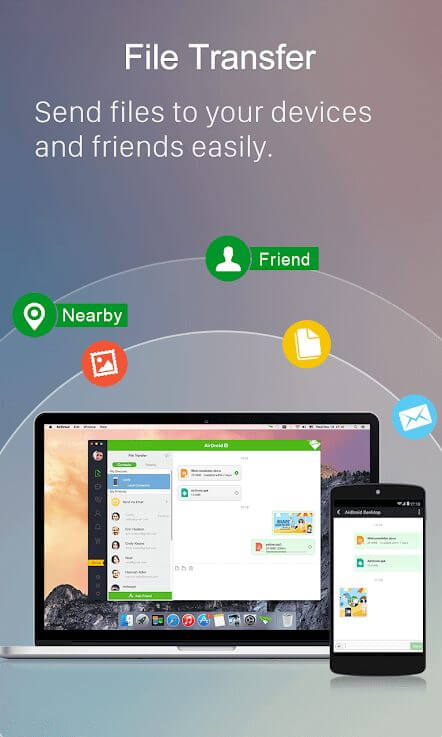
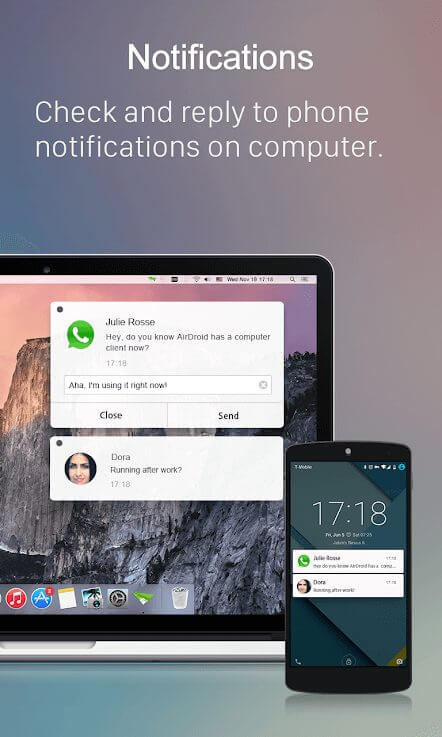
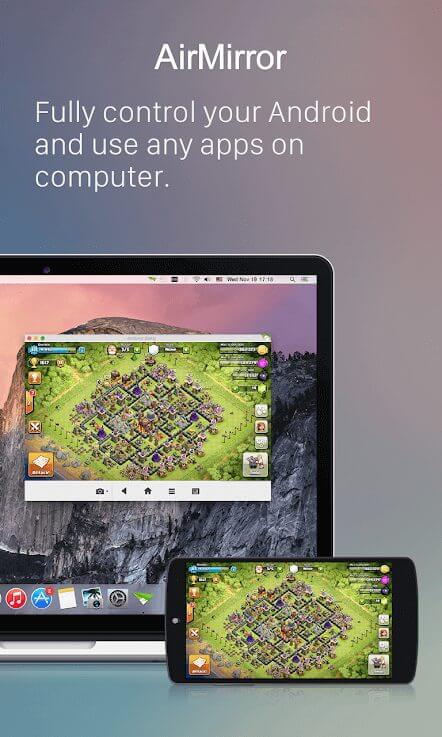

AirDroid lets you control your Android device from a Windows, macOS, or web browser. With the app installed, you can view notifications, send texts, transfer files, and even mirror the screen without needing to pick up your phone.
This page provides the official APK details, a step‑by‑step installation guide, common troubleshooting tips, and a quick safety overview. All information reflects the version released on 1 October 2026.
Quick Information
| App/Game Name | AirDroid |
| Latest Version | 4.3.7.1 |
| Developer | Not listed |
| Category | Apps / Tools |
| App Size | 95.21 MB |
| Package Name | com.sand.airdroid |
| Last Updated | 1 October 2026 |
What Is AirDroid?
AirDroid is a tool that bridges Android smartphones and larger screens such as PCs or laptops. It offers remote access to contacts, messages, photos, apps, and system notifications, allowing users to perform many phone‑only tasks from a computer. The app targets anyone who wants a smoother workflow between mobile and desktop, especially those who frequently share files or need to type long messages on a full keyboard.
Compatibility
| Android Version | ✓ Verified — 4.0 and Above |
| Architecture (ARM64 / 32-bit) | ✓ Verified — Supports common device architectures |
| Internet Connection | ✓ Verified — May be required for ads, updates, or login |
| Storage Needed | Not Verified |
| OBB/Data Files | Not Verified |
| Root Required | Not Verified |
How to Install
- Enable Unknown sources in your Android settings (Settings ► Security ► Install unknown apps).
- Download the AirDroid APK file from a trusted source.
- Open the downloaded file and tap Install. Wait for the process to finish.
- Launch AirDroid and sign in with your account or create a new one.
- On your computer, open a web browser and go to
web.airdroid.comor install the desktop client, then follow the on‑screen pairing instructions.
Troubleshooting
- App not installed: Verify that the APK matches your device’s CPU architecture (ARM vs. x86) and that you have enough storage space.
- Crashes on startup: Clear app data (Settings ► Apps ► AirDroid ► Storage ► Clear data) and try reinstalling.
- Connection issues: Ensure both devices are on the same Wi‑Fi network, disable VPNs, and allow AirDroid through any battery‑optimization settings.
- MOD features not working: This is the official build; any modified features will not be present.
Safety & Security
AirDroid is an official, unmodified build. As with any APK, download it from a reputable source and verify the package name com.sand.airdroid. Review the permissions the app requests—most notably access to storage, contacts, and notifications. Avoid entering sensitive passwords or payment information unless you are sure the source is trustworthy. Keep the app updated; newer releases may fix security gaps or improve compatibility.
How AirDroid Compares
| Feature | AirDroid | Pushbullet | Microsoft Your Phone |
|---|---|---|---|
| Price / Free model | Free with optional premium | Free with optional Pro subscription | Free (requires Windows 10/11) |
| Platform availability | Android, Windows, macOS, Web | Android, iOS, Windows, Web | Android, Windows |
| Standout feature | Full file manager & screen mirroring | Instant notification sync | Deep integration with Windows 10/11 |
| Best for | Power users who need comprehensive PC‑phone control | Quick sharing of links and small files | Windows users who want seamless phone calls & texts on PC |
Alternatives
- Pushbullet – Focuses on notification mirroring and simple file sharing across devices.
- Microsoft Your Phone – Provides deep Windows integration, allowing calls, texts, and photo access directly from the PC.
- TeamViewer QuickSupport – Offers remote control and screen sharing, ideal for support scenarios.
Final Verdict
AirDroid is a solid choice for anyone who wants full desktop control of their Android device, especially for file management and screen mirroring. The official APK is stable, but users should verify the source and keep an eye on permissions. If you need only quick notification sync or tighter Windows integration, Pushbullet or Microsoft Your Phone may be more lightweight alternatives.
Frequently Asked Questions
AirDroid is an official app, but you should download the APK from a reputable source and review the permissions it requests before installing.
The app supports Android 5.0 (Lollipop) and newer, though newer versions provide a smoother experience.
A PC, Mac, or web browser is needed for the remote features; the phone alone can still manage its own files and notifications.
Yes, AirDroid lets you move files wirelessly over Wi‑Fi or via its web interface.
This usually means the APK is incompatible with your device’s CPU architecture or there isn’t enough free storage.
AirDroid offers a free tier with basic features; premium subscriptions unlock additional tools like unlimited file transfers and advanced remote control.